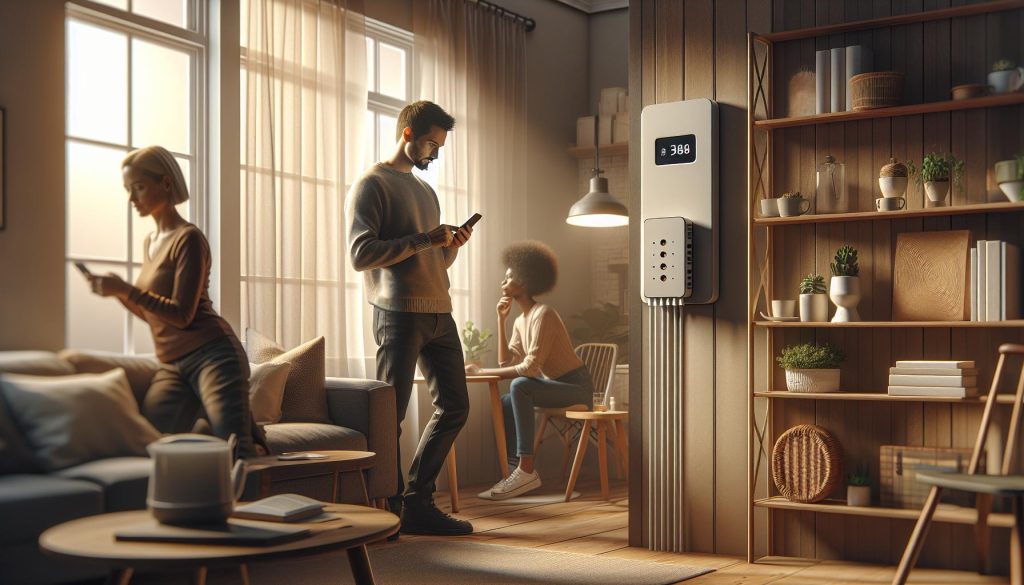
In today’s fast-paced world, a strong mobile phone signal is essential for staying connected, whether for work or personal communication. Yet, many of us experience frustrating drop-offs in service quality at home. Did you know that nearly 50% of Americans struggle with inconsistent cell reception? If you’ve been missing calls or dealing with slow data, your mobile experience can feel compromised. The good news is that improving your signal strength can often be achieved with some simple fixes. In this guide, we’ll explore seven quick and effective strategies to help you boost your mobile phone signal at home. Let’s unlock the potential of your devices and ensure you stay connected when it matters most.
How Signal Strength Affects Mobile Use at Home
Living in a mobile home often provides a sense of freedom and flexibility; however, the quality of your mobile phone signal can be a frustrating challenge. Did you know that mobile signal strength can significantly impact not only your ability to make calls but also your effectiveness when using mobile data for browsing, streaming, or video calls? A weak signal can lead to dropped calls, slow internet speeds, and an overall unsatisfactory experience, making it essential to understand how these factors come into play at home.
Signal strength is determined by multiple factors, including distance from cell towers, building materials, and geographic obstructions. For instance, if your mobile home is located in a low-lying area or surrounded by trees, the signal might struggle to penetrate these barriers. Inside mobile homes, materials such as metal and insulation can also impede signals, leading to inconsistent connectivity throughout the space. Additionally, the layout of your home can create dead zones where reception is particularly poor.
To enhance your mobile experience, you might consider several practical adjustments. First, moving closer to windows or even venturing outdoors can help you capture a better signal. Alternatively, you can adjust your phone settings to prioritize Wi-Fi networks for calls and data when cellular reception is low. Signal boosters are another effective tool; they work by amplifying weak signals from outside and redistributing them throughout your home. These solutions empower mobile home residents to combat connectivity issues, ensuring that living in a mobile home remains a convenient and enjoyable experience.
Understanding the Causes of Weak Mobile Signals
The challenge of weak mobile signals is a common frustration for many, particularly those living in mobile homes, where the very structure can impede connectivity. Strong signal strength is crucial not only for clear voice calls but also for seamless usage of mobile data, whether for browsing the web, streaming content, or conducting video conferences. Understanding the underlying factors contributing to weak signals can empower residents to take effective measures to mitigate these issues.
Signal strength is primarily influenced by proximity to cell towers. The further you are from a tower, the weaker the signal tends to be. In rural or remote areas, where towers are fewer and farther apart, this issue is exacerbated. Additionally, physical barriers such as building materials play a significant role. Mobile homes, commonly constructed with metal and insulation, can impede signals, creating inconsistent reception throughout.
Geographic features and environmental factors also contribute significantly to signal strength. If your home is situated in a valley, surrounded by hills or dense trees, these geographic obstructions can block signals from reaching your device. Furthermore, the layout of your mobile home may create dead zones, particularly in areas shielded from direct line-of-sight to the nearest cell tower. Recognizing these factors allows for targeted adjustments that can enhance connectivity, ensuring a more reliable mobile experience.
Finally, certain electronic devices within the home can interfere with your phone’s reception. Appliances like microwaves or cordless phones might emit frequencies that can disrupt mobile signals. Awareness of these potential signal disruptors is a vital component in addressing connectivity issues. By evaluating these causes and implementing strategies to improve the situation, mobile home residents can transform their living space into a more connected environment.
Essential Tools for Boosting Your Phone Signal
In an era where connectivity is vital for everything from keeping in touch with loved ones to managing work tasks, effectively boosting your mobile phone signal at home can significantly enhance your quality of life. With the right tools and techniques, you can overcome the obstacles of weak signal strength, especially in mobile homes that may be prone to connectivity issues due to their unique structures and locations.
To start improving your signal strength, consider investing in a signal booster. These devices amplify the existing mobile signal, making it stronger and more reliable throughout your living space. Choosing a model that is compatible with your carrier and covers the entire area of your mobile home is essential. Many boosters also come with easy installation instructions, allowing you to set them up without professional assistance.
Additionally, Wi-Fi calling is an excellent option that can bypass the need for a strong cellular signal altogether. With Wi-Fi calling, you can make calls and send texts over your home’s internet connection. Ensure that your mobile phone is set up to enable Wi-Fi calling in the settings menu to take full advantage of this feature, which can be particularly helpful in areas with poor cellular reception.
Mobile home residents should also focus on the placement of their phones and routers. Keep your phone near windows or in open spaces where the signal can penetrate through fewer physical barriers. For routers, finding a central location within the home can help distribute the Wi-Fi signal evenly, reducing dead zones.
Lastly, a simple yet effective DIY solution can involve using aluminum foil. Creating a makeshift reflector can help enhance the signal received by your phone. Just wrap a piece of aluminum foil behind your phone while it is placed against a window; this can help direct the signal toward your device and improve reception.
By utilizing these tools and strategies, you can create a more connected environment in your mobile home, enhancing both necessary communication and leisure activities that depend on mobile connectivity.
Adjusting Your Phone’s Settings for Better Signal
It’s often surprising how much the right settings on your mobile device can influence your signal strength, especially in mobile homes where signal reception can be tricky. Adjusting your phone’s settings can often lead to a noticeable improvement without needing to invest in additional equipment. By focusing on a few key configurations, you can optimize your device to make the most out of your available signal.
Network Selection
Check your mobile network selection settings; sometimes, phones connect to a weaker network automatically. Switching to manual network selection can give you more control. Navigate to your settings menu, typically found under “Mobile Networks” or “Cellular Settings,” and select your carrier manually. This will help ensure your phone connects to the strongest available network, reducing drop calls and poor data performance.
Data and Airplane Mode
Another effective tactic is to toggle your data settings. Turning on Airplane Mode for a brief period, and then turning it back off can effectively reset your connection, prompting your device to search for the strongest possible signal. This is a handy trick that doesn’t require any technical knowledge while often yielding significant improvement.
Resetting Network Settings
If you continue to have trouble, consider resetting your network settings altogether. This can resolve lingering issues, such as lingering connections to weak networks or misconfigured settings. Keep in mind that this will erase saved Wi-Fi passwords and other connection data, so have those ready for re-entry. You can usually find the reset option in the “System” or “General Management” settings.
Software Updates
Lastly, always keep your device’s software updated. Manufacturers regularly release updates that can improve connectivity and fix bugs affecting your signal strength. Check for updates in your device settings, and install them when available.
Implementing these adjustments can dramatically enhance your mobile phone’s performance in your home, ultimately supporting both your personal and professional communication needs. With just a few tweaks, residents of mobile homes can take significant steps toward ensuring reliable connectivity.
Positioning Your Phone for Optimal Connectivity
Positioning your mobile phone for optimal connectivity can significantly enhance your signal strength, especially in mobile homes where reception may vary due to structural and geographical factors. An essential starting point is to consider your surroundings and make small adjustments that can yield substantial benefits.
The orientation of your phone plays a critical role in how well it receives signals. Generally, holding your phone upright allows it to connect more effectively to nearby cell towers. Additionally, if you notice that your signal drops in specific areas of your home, try to experiment with different locations, such as near windows or higher elevations, since these positions often receive a better line-of-sight to the cell towers outside.
Another helpful tip is to avoid obstructions. Thick walls, metal frames, and electronic devices can hinder signal strength. If you find a spot with a decent signal in one room, consider relocating or using that area to make important calls or conduct virtual meetings. Furthermore, being mindful of how you position your body during calls can also impact connectivity. Standing still and maintaining an open posture can prevent accidental signal interference from your own movements.
For more advanced users, utilizing your surroundings can also improve mobile connections. Avoid enclosed spaces with dense materials that shield signals and look for areas where you have a clearer view of the sky or a higher vantage point. If you have access to an outside area, such as a patio or balcony, stepping outside may drastically improve your signal strength, allowing for more reliable communication.
By paying attention to where and how you position your phone, you can find ways to enhance your mobile experience at home, making it easier to stay connected and enjoy seamless communication.
Utilizing a Signal Booster Effectively
Installing a signal booster in your mobile home can drastically improve your mobile phone reception, turning frustrating dropouts into seamless connectivity. These devices amplify the existing cell signal, making them particularly valuable in areas with weak coverage-often a common issue for mobile homeowners due to structural challenges and geographical barriers.
To maximize the effectiveness of a signal booster, start by selecting the right unit for your specific needs. Consider factors like your mobile provider’s frequency bands, the size of the area to be covered, and whether you primarily need indoor or outdoor coverage. Research devices that have proven successful among users in your area or check for user reviews highlighting performance in similar environments.
Setting up the signal booster involves a few straightforward steps. Position the outside antenna in a location where it can access the strongest cell signal-typically on the roof or in an elevated position away from obstructions. Connect this antenna to the booster unit, which should be placed indoors in a central location to distribute the boosted signal effectively. Finally, attach the inside antenna where you spend most of your time for optimal results. It’s essential to avoid placing the inside antenna near the outside antenna to prevent feedback, which can degrade performance.
For maximum efficiency, monitor the performance of your signal booster frequently. Look out for improvements in call clarity, data speed, and the consistency of the connection. Some devices come with signal strength meters that can guide adjustments of antenna placement for the best results. Should you encounter persistent issues, ensure that all components are securely installed and consider contacting the manufacturer for troubleshooting support.
Employing a signal booster is not just about enhancing personal connectivity; it’s also about empowering your mobile home living experience. The ability to stay connected, conduct business, or enjoy entertainment on the go can transform how you live and work in a mobile home, affirming that a mobile lifestyle can be just as sophisticated and connected as traditional living.
Experimenting with Wi-Fi Calling Features
In today’s digital age, a strong mobile connection is essential, especially for those living in mobile homes where market accessibility can vary. Wi-Fi calling is a feature that can revolutionize how you communicate, utilizing your home’s Wi-Fi network to make calls and send messages when cellular signals are weak. Engaging with this technology can be incredibly beneficial, as it not only enhances your ability to connect with family and friends but can also be a game-changer for those relying on their mobile phone for work or online services.
To make the most of Wi-Fi calling, start by ensuring your phone supports this feature. Most modern smartphones do, but you’ll need to double-check your settings. Navigate to your phone’s settings, look for the “Phone” or “Connections” menu, and enable Wi-Fi calling if it’s not already activated. This simple action allows your phone to use Wi-Fi networks for calls and texts when cellular signals are inadequate. It can seamlessly transition between regular cellular service and Wi-Fi calling, ensuring you stay connected wherever you are in your home.
To optimize your Wi-Fi calling experience, consider the following actionable tips:
- Use a reliable Wi-Fi network: Ensure your Wi-Fi connection is robust. A strong signal will not just enhance your internet speed but also improve call quality.
- Position your router wisely: The placement of your Wi-Fi router can significantly impact connectivity. Consider placing it centrally in your mobile home, ideally elevated, to minimize obstructions.
- Keep your software updated: Regular software updates on your device can enhance performance, including the functionality of Wi-Fi calling.
Lastly, if dropping connections persists, do not hesitate to reach out to your mobile carrier. They may offer additional support tailored to your specific needs, ensuring that your transition to Wi-Fi calling is smooth and effective. By leveraging the power of Wi-Fi calling, you enhance not just your connectivity but also your mobile home living experience-turning limitations into opportunities for seamless communication.
Choosing the Right Location for Your Cell Router
Selecting the optimal location for your cell router can dramatically improve mobile signal strength within your home, particularly in mobile homes where space and layout can impact connectivity. Proper positioning helps ensure a stronger, more stable connection, allowing for seamless communication and internet usage.
Start by placing the router in a central location. This minimizes the distance signal waves must travel to reach various parts of your home. If possible, elevate the router to reduce interference caused by furniture, walls, and other obstacles. High shelves or wall mounts can be excellent options. Avoid corner placements, which can create dead zones where signal strength diminishes significantly.
In addition to centralizing your router, consider the material of surrounding walls and furniture. For instance, thick walls, metal structures, or large appliances can impede signals. If your mobile home has interior walls made of metal or other dense materials, positioning the router closer to the exterior wall facing your cell service tower might be beneficial. When positioning your router, ensure it’s away from electronic devices such as microwaves or cordless phones, which can cause interference.
Lastly, always assess your router’s signal strength after relocating it. Many modern routers come equipped with a signal strength indicator. You can also use apps available for smartphones to analyze the Wi-Fi coverage throughout your space, helping you find the best spot for enhanced connectivity. By optimizing the placement of your router, you’ll not only improve mobile signal strength but also make your mobile home living experience more enjoyable and connected.
Harnessing the Power of Aluminum Foil
Reflecting on the versatility of everyday materials, aluminum foil emerges as a surprisingly effective tool for enhancing your mobile phone signal at home. This common kitchen staple can be utilized to create a simple and cost-effective signal reflector that directs and amplifies the signal waves from the nearest cell tower towards your device, potentially mitigating the effects of weak signals that many mobile home residents face.
To harness the power of aluminum foil, start by crafting a signal booster. Create a parabolic shape by shaping a piece of foil into a concave form, which will effectively gather and reflect signals. Here’s how to do it step by step:
- Gather Your Materials: You’ll need a piece of aluminum foil, a cardboard or wooden base, and a sturdy object (like a stick) to create a support structure.
- Shape the Foil: Cut a large piece of aluminum foil and mold it into a concave shape, which can look like a satellite dish. Ensure the surface is smooth to optimize the signal reflection.
- Mounting: Attach the foil to the cardboard or wooden base for stability. You can cut a small hole in the center of the foil to place it on the support stick, making sure the foil is positioned at an angle that is aimed towards the nearest cell tower.
- Position Your Mobile Device: Place your phone directly in line with the foil reflector. Experiment with the distance and angle to maximize effectiveness.
- Test Your Signal: Use your phone to check signal strength. Various apps can help you measure the improvement in connectivity, allowing you to adjust accordingly.
The effectiveness of this method can range based on environmental factors, including distance from the cell tower and obstacles such as trees or buildings. It’s also worth noting that while aluminum foil can improve your signal, it should not be the sole method used for boosting mobile connectivity. Instead, consider it a part of a comprehensive plan that also includes proper router placement and using signal boosters.
When implementing this hack, remember that while aluminum foil can provide a temporary boost, sustainable improvements may require additional investment in equipment or consultation with your service provider. This creative approach not only showcases your ingenuity but can enhance your day-to-day communication needs, making mobile living more convenient and connected.
Exploring Carrier-Specific Solutions and Support
Carrier-specific solutions can significantly enhance your mobile phone signal, particularly in manufactured homes where traditional transmission methods may falter. Many cellular providers offer tailored support and technology specifically designed to deal with the unique challenges presented by rural or low-signal environments. Knowing what your carrier offers-and effectively utilizing these resources-can make a substantial difference in your connectivity.
One practical step is to contact your carrier’s customer support. They can provide insights into local signal issues or outages and recommend solutions such as network extenders or signal boosters. Many carriers create custom signal booster products compatible with their network, allowing you to improve service directly within your home. If you live in an area with limited service, inquire about programs that may subsidize the cost of equipment like signal repeaters, which can be pivotal for reliable communication.
Furthermore, take advantage of your carrier’s mobile app. These tools often include features such as signal strength meters, network coverage maps, and troubleshooting options. By utilizing these applications, you can assess your signal strength in real-time and pinpoint specific areas within your home that are most affected. This data not only aids in making informed decisions about positioning or installing external antennas but also helps justify your need for equipment upgrades or adjustments to your plan.
Lastly, consider shared solutions among neighbors with the same carrier. Formulating a localized approach can enhance overall connectivity while saving costs. For example, pooling resources for a community signal booster can ensure that everyone benefits from stronger mobile service. These cooperative initiatives not only strengthen connections at a technical level but also build a sense of community, validating the mobile home lifestyle with supportive, practical solutions.
Advanced Tips for Sustained Mobile Signal Improvement
Living in a manufactured home should not mean sacrificing communication. In fact, with some thoughtful strategies, you can significantly improve your mobile signal strength and maintain consistent connectivity. One effective method to consider is the use of a femtocell or cellular network extender. These devices act like mini cell towers that connect to your broadband internet and transmit a stronger mobile signal throughout your home. When choosing a femtocell, ensure it is compatible with your carrier and that you have a reliable internet connection.
Another advanced approach involves strategic antenna placement. As signals can be obstructed by walls and other structures, finding a location for your phone that is more open or has fewer barriers can yield better results. Experiment with different rooms and positions, particularly near windows, where signals often enter the house more freely. Similarly, lifting your phone off surfaces can help; placing it on a higher shelf may enhance your reception.
Utilizing Network Frequency Bands
Understanding the frequency bands your carrier operates on is also vital. Different bands offer varying ranges and penetration levels; for example, lower frequencies (like 700 MHz) cover greater distances and penetrate buildings better than higher frequencies (like 1900 MHz). This knowledge allows you to determine the best directions to orient your antenna or booster. You might also want to consult coverage maps provided by your carrier to identify optimal locations for receiving signals.
Lastly, always keep your phone updated with the latest software. Updates often include improvements that enhance signal reception capabilities. Also, explore settings on your mobile device that might improve connectivity, such as toggling between 4G and LTE. Many smartphones allow for manual selection of network types; switching to a less congested network mode may lead to a better experience. By combining these practical steps, you can cultivate a strong and reliable mobile environment in your manufactured home, ensuring that you stay connected no matter where you are.
Common Myths About Mobile Signal Boosting
Many homeowners struggle with common misconceptions about mobile signal boosting, leading to frustration and ineffective solutions. One prevalent myth is that simply purchasing a signal booster guarantees stronger reception for all devices within the home. While a well-chosen booster can enhance connectivity, it must be compatible with your specific carrier’s frequency bands and designed to cover the area of your home adequately. Investing in a low-quality or incorrectly specified booster may result in minimal improvement, ultimately wasting time and resources.
Another frequent belief is that placing a phone near windows will always guarantee a better signal. While windows can allow some signals to pass through, this is not a universal solution. The type of glass, window coatings, and even nearby trees can affect signal strength. It might be more beneficial to explore different locations within your home and consider factors like the layout of walls and the position of outdoor antennas, as these can greatly impact performance.
Additionally, many assume that placing aluminum foil around the phone or near the windows will create a ‘dish effect’ that significantly boosts signal. In reality, while aluminum foil might redirect signal to some extent, improper placement can actually interfere with connectivity. Instead of trusting these DIY hacks, it’s wise to rely on professionally designed devices or tested techniques to genuinely enhance your cellular performance.
Finally, the notion that switching carriers will always result in a better signal is misleading. While one carrier may offer better coverage in certain regions, others have advantages in different areas. It’s essential to consider individual needs and research coverage maps relevant to your specific location rather than making blanket assumptions about carrier performance. By understanding these myths, you can make informed decisions that truly enhance your mobile connectivity at home, ensuring efficient communication in your manufactured home.
How to Monitor and Test Your Signal Strength
Monitoring and testing your mobile signal strength is crucial for ensuring reliable connectivity, especially in a manufactured home where signal variability can be more common due to construction materials and landscaping. A simple, effective way to assess your signal strength is by using your phone’s built-in diagnostics. Many smartphones allow you to access a hidden menu that displays signal strength measured in decibels (dBm). Generally, a signal strength of -70 dBm to -90 dBm is considered acceptable, while anything lower (e.g., -120 dBm or worse) may result in dropped calls or an inability to connect to the network.
To check your signal strength, follow these steps:
- Open your phone’s settings: Look for options related to “About Phone” or “Network.”
- Find the signal settings: This may be listed as “Status” or “SIM Status” on Android devices; iPhones may require you to dial 3001#12345# and press the call button to access Field Test Mode.
- Read your dBm value: A more negative number indicates weaker signal strength.
Utilizing apps specifically designed to analyze signal strength can also offer a user-friendly alternative. Applications like Network Signal Info or OpenSignal provide detailed maps and diagnostics, helping you visualize your signal strength in real-time and identify areas of poor connectivity within your home.
Conducting Real-World Tests
Testing your signal strength in various locations around your manufactured home can provide invaluable insights into how and where you can improve your connectivity. Start by making calls or sending texts from different rooms, taking note of where service drops or lags significantly.
Consider conducting tests during different times of the day as network congestion can vary. For a more structured approach, create a signal strength chart to log readings from multiple locations at the same times each day. This data can help identify patterns that you may not notice in casual testing.
- High Traffic Areas: Test your signal strength in common areas like the living room and kitchen.
- Low Traffic Areas: Check bedrooms and corners of the home, as these may be more susceptible to interference.
- Outside Testing: If possible, step outside to see if connectivity improves, which can help determine if outdoor positioning may be necessary for a booster.
By routinely monitoring and testing your signal strength, you empower yourself to make informed decisions about the best strategies for boosting your mobile signal effectively at home. This proactive approach can enhance your mobile experience, enabling smoother communication and more reliable internet access.
FAQ
Q: How can I find the best spot in my home for a strong mobile signal?
A: To find the best spot for mobile signal strength, conduct a signal test in various areas of your home. Stand near windows and away from walls or metal objects. Use your phone’s signal strength meter or an app to identify the location with the highest reception.
Q: What common obstacles interfere with mobile phone signals at home?
A: Common obstacles that weaken mobile signals include thick walls, electronic devices, appliances, and large metal objects. Landscaping features, such as trees, can also disrupt signal strength. Minimize these interferences by positioning devices appropriately.
Q: Can I use multiple signal boosters in my home?
A: Yes, you can use multiple signal boosters in your home, especially if you have a large living space or multiple floors. Make sure each booster is compatible with your carrier and installed in areas with poor signal strength for optimal results.
Q: How does using Wi-Fi calling help when the mobile signal is weak?
A: Wi-Fi calling routes calls and texts over the internet instead of using cellular networks, which is beneficial when mobile signals are poor. Enable Wi-Fi calling in your phone’s settings to enjoy clearer calls and reliable messaging where cellular coverage is lacking.
Q: What are some DIY solutions for boosting mobile phone signals?
A: DIY solutions include placing your phone near a window, using an aluminum foil reflector to boost signal direction, or adjusting your router’s positioning. Even a small elevation change can sometimes significantly improve signal strength.
Q: How often should I test my mobile phone signal strength?
A: Testing your mobile signal strength regularly is recommended, especially after changing locations, adding new appliances, or conducting home renovations. This helps you monitor changes and optimize your setup to ensure consistent communication.
Q: What features should I look for in a mobile signal booster?
A: When choosing a mobile signal booster, look for features like compatibility with your carrier, range, ease of installation, and specific gain levels for your area. These factors ensure the booster meets your household’s needs effectively.
Q: How can I tell if my phone has a weak signal?
A: Signs of a weak signal include dropped calls, slow data speeds, and an inability to send or receive texts. Check your phone’s signal bars; one or two bars typically indicate a weak connection.
To Wrap It Up
Now that you know how to boost your mobile phone signal at home with these seven quick fixes, it’s time to take action! By implementing these strategies, you can enhance your connectivity, reduce dropped calls, and enjoy smoother streaming. Don’t wait-start making these changes today to experience an immediate difference in your mobile usability.
For more insights, check out our articles on improving cell signal strength and the best signal-boosting devices available on the market. If you still have questions or need personalized advice, consider signing up for our newsletter or contacting our expert team for a consultation. We’re here to help you stay connected!
Remember, a reliable signal isn’t just a luxury; it’s a necessity for staying in touch with what matters most. Your phone deserves the best service possible, and you have the power to make it happen. Join the conversation by sharing your experiences in the comments below!