Setting up broadband in a mobile home is essential for connecting with the world, whether for work, education, or entertainment. With the unique challenges of mobile living, many face difficulties in securing a reliable internet connection. Understanding the best practices for establishing broadband in these spaces can transform your living experience, enhancing communication and accessibility. In this guide, we will explore practical steps, considerations, and valuable insights to help you achieve a strong, dependable connection that meets your needs. Embracing mobile home living shouldn’t mean compromising on connectivity; let’s unlock the potential of your home, ensuring you stay connected, informed, and entertained.
How to Choose the Right Broadband Provider for Your Mobile Home
Choosing the right broadband provider for your mobile home can make a significant difference in your overall internet experience, especially in terms of speed, reliability, and customer service. Since mobile homes are often situated in areas with limited service options, conducting thorough research is essential to find the provider that best meets your needs. Start by assessing the available providers in your area through community resources or websites dedicated to broadband comparisons. This will help you understand which companies operate nearby and the services they offer.
When evaluating potential providers, consider the types of internet connections they offer. Some common options for mobile homes include DSL, cable, satellite, and fiber optics. Fiber-optic connections provide the fastest speeds but may be less available in rural areas. On the other hand, satellite internet can reach almost any location but often comes with higher latency and data limits. Ensure that the speeds advertised align with your expected internet usage; for example, basic browsing and streaming may require different bandwidths than gaming or remote work.
It’s also important to take a look at customer support reviews and the flexibility of their contracts. A provider may offer enticing prices but check for hidden fees, data caps, and contract lengths. Look for providers that offer a trial period or flexible plans that allow you to adjust your service as your needs change. Lastly, consider reaching out to neighbors or local community groups to gather firsthand experiences and recommendations. Personal insights can guide you toward a reliable provider that caters specifically to the needs of mobile home residents, making your internet setup process smoother and more efficient.
Understanding Internet Connection Types: Best Options for Mobile Homes

When choosing a broadband connection for a mobile home, understanding the different types of internet connections available can significantly enhance your online experience. Mobile homes are often located in areas with varied service options, and recognizing which connection type suits your needs is crucial.
Types of Internet Connections
The most common internet connection types include:
- DSL (Digital Subscriber Line): This option uses telephone lines to deliver internet service, offering reasonable speeds suitable for everyday activities like browsing and streaming. It’s widely available, making it a popular choice for mobile homes.
- Cable: Cable internet utilizes existing cable television infrastructure, providing faster speeds than DSL. However, availability may be limited in very rural areas.
- Satellite: Ideal for remote locations, satellite internet can reach most mobile homes. While it offers decent coverage, it often suffers from higher latency, making it less optimal for video conferencing or online gaming.
- Fiber-optic: Fiber connections are known for their high speeds and reliability. They use glass or plastic fibers to transmit data, making them very fast. However, availability can be limited in rural areas.
When selecting your internet service, consider not only the speed needs based on your online activities-such as streaming, gaming, or telecommuting-but also factors like latency and data caps. For instance, if you’re an avid gamer, you might prioritize lower latency connections, whereas casual browsing might suit your needs with a slower option. Additionally, it’s beneficial to check reviews from other mobile home residents about their experiences with each provider and the specific service quality in your area, which can provide valuable insights. By weighing these factors and understanding the types of connections available, you can make an informed decision that best fits your lifestyle in a mobile home.
Essential Equipment for Setting Up Broadband in a Mobile Home

Setting up broadband in a mobile home requires careful planning and the right equipment to ensure a reliable internet connection. Given the portability and unique characteristics of mobile homes, having the appropriate gear can significantly enhance not only connectivity but also overall internet performance. The essential devices you need will vary based on the type of internet connection you select, so here’s a breakdown of the key components to consider for your setup.
- Router: A quality router is fundamental for distributing your internet connection throughout your mobile home. Look for routers that support the latest Wi-Fi standards (like Wi-Fi 6) for faster speeds and improved performance. If you plan to have multiple devices connected simultaneously, choosing a dual-band router can help manage the load on your network.
- Modem: Depending on your chosen internet connection type, a modem may be necessary. For cable or DSL connections, you’ll need a compatible modem to translate the signal from your internet provider. Be sure to check compatibility with your service provider before purchasing.
- Signal Boosters: If you’re located in a rural area where signal strength may fluctuate, a Wi-Fi signal booster can significantly improve coverage. These devices amplify and extend the reach of your internet signal, ensuring that even the far corners of your mobile home maintain a strong connection.
- Powerline Adapters: For users who experience dead zones in their mobile homes, powerline adapters are a useful solution. These adapters use your electrical wiring to transmit internet signals, making it easier to access the internet from different rooms without additional wiring.
- Surge Protectors: Given the susceptibility of electronic devices to power surges, investing in surge protectors is essential. This equipment protects your router and modem from damages caused by voltage spikes, ensuring longevity and consistent performance.
Selecting and configuring the right equipment lays the groundwork for an effective broadband setup in your mobile home. By investing in the appropriate gear, residents can enjoy a reliable internet experience, whether for work, entertainment, or staying connected with loved ones. Remember, the right setup not only enhances your connectivity but also enriches your mobile living lifestyle, allowing you to make the most of your home on wheels.
Step-by-Step Guide to Installing Broadband in Your Mobile Home
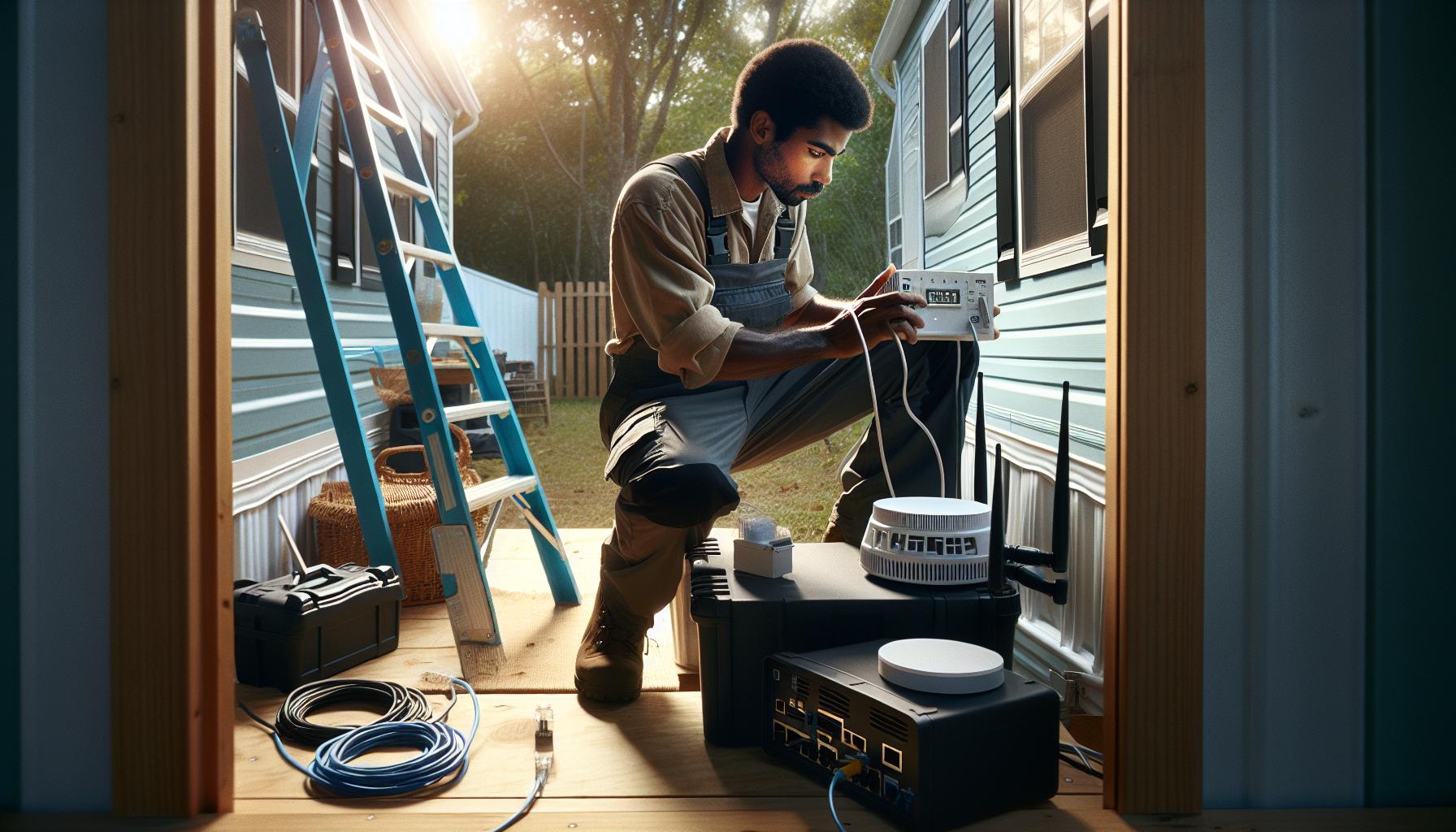
Setting up broadband in a mobile home can sometimes feel like a daunting task, but with the right approach and a clear plan, it can lead to a seamless online experience. Start by determining what type of internet connection is available in your area-be it cable, DSL, satellite, or fixed wireless. Research each option and consider factors such as speed, cost, and data caps, as these will guide your ultimate decision. This initial step is crucial because it sets the foundation for the rest of your installation process.
Once you’ve selected your provider, the next phase involves gathering your essential equipment. Ensure you have a compatible modem and router, especially if your internet service provider (ISP) requires specific hardware. For mobile homes, where space might be limited, consider a compact router that still offers robust performance. After obtaining your equipment, locating a suitable spot for your modem and router is key; ideally, they should be centralized to maximize signal strength throughout your living space.
After positioning your devices, it’s time to connect everything. Start by connecting the modem to the incoming internet cable, typically through a coaxial or telephone line. Then, link the modem to the router via an Ethernet cable. Power on both devices and wait for them to fully boot up, which can take a few minutes. Once they’re operational, use a smartphone, laptop, or any internet-connected device to search for available networks. Select your router’s network, input the password (usually found on the router’s label), and enjoy browsing.
Lastly, to ensure sustained performance, consider optimizing your broadband setup. Depending on your location and interior layout, you might need signal boosters or extenders to eliminate dead zones. Periodically check for firmware updates for your router and perform speed tests to ensure you’re getting the service you expect. With these steps, you can create an efficient and effective broadband environment in your mobile home. Embrace the rewards of connecting your home on wheels, transforming it into a space that supports both work and leisure.
Optimizing Your Connection: Signal Boosters and Extenders

To enjoy uninterrupted streaming, seamless video calls, and quick downloads in your mobile home, optimizing your internet connection is essential. Dead zones and weak signals can hinder your online experience, especially given the unique layout and building materials often found in mobile homes. A great way to combat these issues is through the strategic use of signal boosters and extenders.
Signal boosters amplify the existing cellular or Wi-Fi signal, enabling better reception in areas where connectivity is weak. This is particularly useful if your mobile home is situated farther away from the source of your internet service. When choosing a signal booster, select one compatible with your specific frequency bands and make sure it has a range suitable for your space. For example, some boosters can cover up to 5,000 square feet, making them ideal for larger mobile homes or setups with multiple rooms.
Wi-Fi Extenders
Wi-Fi extenders, or repeaters, work by picking up your existing Wi-Fi signal and re-broadcasting it, thus increasing the coverage area. Positioning an extender halfway between your router and the area with poor signal can significantly improve performance. Also, consider purchasing extenders with dual-band support, which helps manage bandwidth more effectively, especially if multiple devices are connected simultaneously.
Practical Installation Tips
When installing these devices, follow these tips:
- Check your current signal strength: Use a speed test app to identify areas of your home with weak signals, helping you determine the best placement for boosters or extenders.
- Optimize placement: Elevate devices away from walls and obstructions for maximum signal propagation.
- Regular updates: Keep device firmware updated to ensure optimal performance and security.
By investing in signal boosters and Wi-Fi extenders, you can enhance your broadband experience, making your mobile home a reliable hub for connectivity. Whether you’re working from home or streaming your favorite shows, these tools ensure your online experience meets modern demands, empowering you to enjoy the mobile lifestyle without compromise.
Navigating Challenges: Internet Setup in Rural Mobile Home Parks
In rural mobile home parks, internet setup can be particularly challenging due to the often limited availability of services and the geographical obstacles posed by remote locations. Factors such as distance from the nearest service provider and the unique layout of mobile home parks can complicate obtaining reliable broadband. To overcome these hurdles, it’s essential to thoroughly investigate your options, prioritize effective communication with service providers, and utilize targeted strategies to optimize your connection.
Start by researching available providers in your area. Websites like BroadbandNow can help you explore options based on your exact address, revealing which companies offer service in rural settings. The options may include satellite, fixed wireless, and digital subscriber line (DSL) services, each with its own set of advantages and limitations. For instance, while satellite internet may provide a connection where others don’t, users often face higher latency and data limits. On the other hand, fixed wireless can offer better speeds if there’s a direct line of sight to the transmission tower.
Once you identify potential providers, don’t hesitate to contact them for detailed information. Inquire about installation options and any additional equipment needed, like dishes for satellite service or antenna setups for wireless connections. It’s also wise to ask about any specific challenges associated with installation in mobile home parks, as these could affect your service initiation. Providers may also offer community-focused solutions or grant programs that target service expansion in underserved areas.
Moreover, the physical setup of mobile home parks can complicate delivering internet service. Low-lying areas and environmental obstacles like trees or hills may prevent optimal signal strength. To address this, investing in external antennas or repeaters may be beneficial to extend the range of your connection. Equally important is securing permission from your park management for any external installations, ensuring compliance with park regulations and safety guidelines.
In conclusion, residents of rural mobile home parks should approach broadband installation with clear strategies: comprehensive research of available options, proactive engagement with providers, and careful planning around physical setup. By addressing these specific challenges and leveraging available technology, you can secure a reliable internet connection that supports your digital needs in a rural living environment.
Budgeting for Broadband: Costs and Financing Options
Setting up broadband in a mobile home requires careful financial planning to ensure you choose the right service without breaking the bank. Internet costs can vary significantly based on the type of connection, the service provider, and any additional equipment or installation fees involved. Research suggests that mobile home residents typically face different pricing structures compared to those living in traditional homes, particularly in rural areas where options may be limited.
When budgeting for broadband, it’s crucial to assess the following factors:
- Monthly Service Fees: Compare various service providers to find the best plan based on your internet usage needs. Plans can range from basic packages with limited data to higher-priced options featuring unlimited data and faster speeds.
- Installation Costs: Some providers offer free installation, while others may charge a fee. Keep in mind that you might need to pay for equipment like routers or antennas if they aren’t included in your plan.
- Contract Terms: Be aware of long-term commitments. Contracts usually entail penalties for early termination, which could become a financial burden if your service needs change.
- Equipment Costs: Investing in a good-quality router can significantly improve your internet experience. Additionally, if you require signal boosters or extenders due to distance from the nearest provider infrastructure, factor these costs into your budget.
- Promotions and Discounts: Look out for promotions and bundle offers that can reduce initial costs. Some providers may offer discounts for new customers or for bundling internet with other services such as cable or phone.
Financing Options
Given the unique challenges of mobile home living, financing your broadband setup might also be necessary. Here are some avenues to consider:
- Payment Plans: Some providers offer payment plans for equipment or installation fees. This can help spread the costs over time, making it easier to manage monthly expenses.
- Community Programs: Investigate if local government or private organizations have programs aimed at improving internet access in rural areas. They may provide grants or funding assistance for residents to acquire better connectivity solutions.
- Low-Income Assistance Programs: If you qualify, look for programs that offer reduced rates for low-income households. Federal programs might also play a role, so don’t hesitate to check eligibility requirements.
Creating a clear budget and exploring all available financing options will empower you to secure the best possible broadband service for your mobile home, ensuring you stay connected effectively while managing costs.
Legal Considerations for Broadband Installation in Mobile Homes
Navigating the legal landscape surrounding broadband installation in mobile homes can be a daunting task, especially for those new to the process or unfamiliar with such regulations. Before you set up internet service, it’s essential to understand various legal considerations that could affect your installation. These include zoning laws, mobile home tenancy agreements, and any restrictions set forth by your mobile home park.
Many mobile home parks have specific rules regarding the installation of external equipment, such as antennas or satellite dishes, that can influence your broadband setup. Before proceeding, review your lease or park rules to ensure that installing additional devices will not violate any agreements. Some parks may require you to obtain written permission from management before making any modifications that could affect the property. Failing to do so could lead to penalties or, in the worst case, eviction from the property.
Furthermore, it’s important to consider the local zoning laws that may apply to the installation of broadband services. Different areas may have regulations related to the installation of infrastructure like cables and modem setups, especially if you plan to install equipment that extends beyond your mobile home. Engaging with local utilities or providers can clarify what is permissible in your area, helping you sidestep potential legal issues that could arise during or after installation.
Lastly, if you encounter any disputes regarding service interruptions or the installation process, keeping documentation of communications with your service provider and management can protect your legal rights. Always verify any changes to your contract or service agreements, and make sure you’re aware of your rights as a resident to ensure a smooth and compliant broadband installation in your mobile home.
Common Issues and Troubleshooting Your Mobile Home Internet
Internet connectivity is crucial for daily life, and for mobile home residents, establishing a reliable connection can sometimes be fraught with challenges. Understanding common issues and having effective troubleshooting strategies can significantly enhance your internet experience. Here are some prevalent problems mobile home owners may encounter and practical solutions to resolve them.
Connectivity Issues
One of the most frequently reported issues is intermittent or slow internet connections. This can stem from various factors, including signal interference from nearby trees or buildings. To mitigate this, consider the placement of your router. Ideally, it should be positioned as high as possible and away from physical obstructions. If you find that the signal is weak, a signal booster or Wi-Fi extender can help enhance coverage throughout your mobile home.
Equipment Setup Errors
Improper setup of your modem and router can also lead to connectivity problems. Ensure that all cables are securely connected and that your equipment is powered on. A common troubleshooting step involves restarting your devices: unplug both the modem and router, wait for about 30 seconds, and then plug them back in, allowing them to reboot fully. If problems persist, access the modem’s interface through your computer to check for firmware updates or reset the settings as needed.
Incompatibility Issues
Another issue mobile home residents may face is compatibility between their equipment and the service provider’s network. Before purchasing a router, confirm that it meets the specifications of your internet plan. Additionally, if you’re using an older modem, it may not be capable of handling higher speed services, necessitating an upgrade.
Technical Support Limitations
Lastly, many mobile home parks can be situated in rural areas where internet providers may not offer robust technical support. In such instances, documenting all service interruptions and communications with your provider can aid in resolving disputes. When purchasing internet services, consider choosing a provider known for good customer service and support, as this can save you time and frustration down the line.
By proactively addressing these common issues, mobile home residents can significantly improve their internet connectivity, ensuring a smoother online experience for work, entertainment, and communication.
Maintaining Your Broadband Connection: Tips for Longevity
In the ever-evolving digital landscape, maintaining a stable and reliable broadband connection is crucial, especially for mobile home residents who rely heavily on internet access for work, entertainment, and communication. One of the best ways to ensure the longevity of your broadband connection is through regular preventative measures and informed choices. By taking proactive steps, residents can optimize their connection and reduce the likelihood of future issues.
Start with regular equipment checks to ensure all components, including the modem and router, are functioning properly. Dust can accumulate over time, potentially affecting performance, so ensure that devices are kept clean and ventilated. Keep all connections secure and consider upgrading to a newer modem or router if you notice lagging speeds, particularly if these devices are several years old. Upgraded hardware can improve speed and reliability, accommodating the increasing demands of modern internet usage.
Additionally, establishing a consistent maintenance schedule can prove beneficial. Regularly reboot your modem and router to reset connections, maintaining a fresh link to your internet service provider (ISP). This simple action can resolve lingering connectivity issues and improve overall speed. If you experience slowdowns, check for any firmware updates for your router; manufacturers often release updates that enhance performance and security.
Implementing security measures is also vital in maintaining your broadband connection. Change default passwords on your router to prevent unauthorized access and periodically update these passwords. Using strong, unique passwords can help protect your network from cyber threats, ensuring that bandwidth isn’t being consumed by unwanted users. In addition, consider setting up a guest network for visitors to keep your primary network more secure and less congested.
Lastly, stay informed about your specific internet plan and service provider options. Knowing your plan’s speed limitations and usage allowances can help manage expectations and prevent overages. It can also empower you to make informed decisions should you consider upgrading your plan or switching providers in the future. By following these practical tips, mobile home residents can foster a stable broadband connection that enhances their online experience for years to come.
Future-Proofing Your Broadband: What to Consider for Upgrades
In an age where technology advances at lightning speed, ensuring that your broadband service remains up-to-date is essential for enjoying uninterrupted connectivity. Mobile home residents, who may be more dependent on stable internet for everything from remote work to entertainment, find themselves navigating a unique landscape of options. Future-proofing your broadband not only enhances current performance but also protects against obsolescence as technology evolves.
When upgrading your broadband, start by evaluating the types of connections available in your area. Fiber optic connections, for instance, offer the fastest speeds and are highly reliable, making them a preferred choice for future-proofing. If fiber is unavailable, high-speed cable or a robust DSL can also meet needs effectively. Investigate the maximum speeds each option provides, ensuring they align with your household’s internet usage-whether that means streaming, gaming, or working from home.
Consider Equipment Upgrades
Outdated modems and routers are significant hindrances to achieving optimal speeds. Investing in the latest equipment can facilitate faster connections and improve overall reliability. Look for devices that support the latest Wi-Fi standards, such as Wi-Fi 6, which can handle more devices and provide better efficiency. If your broadband provider supports it, consider investing in a mesh network system to extend coverage throughout your mobile home, especially beneficial in larger or multi-room setups.
Plan for Future Needs
Think ahead about how your internet usage may change over time. New smart home devices, high-definition streaming, and increased remote work can significantly increase bandwidth demands. Opt for a plan that offers room to grow; many providers allow for easy upgrades without long-term commitments. Additionally, familiarize yourself with your provider’s offerings to trade up plans or adjust bandwidth as required.
By taking these proactive steps-evaluating connection types, upgrading equipment, and choosing adaptable plans-you can ensure your broadband setup keeps pace with technological advancements, minimizing frustration and maximizing your online experience in your mobile home. Engaging in these strategies not only enhances your current internet connection but also lays a solid foundation for the future.
Frequently Asked Questions
Q: What is the best broadband type to install in a mobile home?
A: The best broadband type for a mobile home typically includes cable, DSL, or satellite internet. Consider satellite if you’re in a rural area with limited options, while cable or DSL generally provides better speeds and reliability when available. For detailed guidance, refer to the “Understanding Internet Connection Types” section of the article.
Q: How do I test internet speed in my mobile home?
A: To test internet speed in your mobile home, use online speed test tools like Speedtest.net. Make sure to perform the test on multiple devices and at different times to gauge the average speed accurately. This will help you identify potential connectivity issues or the need for upgrades.
Q: Can I use a Wi-Fi extender in my mobile home?
A: Yes, you can use a Wi-Fi extender to boost your broadband signal throughout your mobile home. Place the extender in an area where the signal is still strong to enhance coverage in weaker spots. More details can be found in the “Optimizing Your Connection” section.
Q: Are there special considerations for mobile home parks when setting up broadband?
A: Yes, when setting up broadband in mobile home parks, check for provider availability and any restrictions from park management on installations. Some parks may have shared internet facilities or require professional setup, as discussed in the “Navigating Challenges” section.
Q: What legal permissions do I need to install broadband in a mobile home?
A: Before installing broadband in your mobile home, check local laws and regulations regarding installation permissions. You may also need permission from your mobile home park management. Details about legal considerations can be found in the relevant section of the article.
Q: How can I improve my mobile home’s internet signal?
A: To improve your mobile home’s internet signal, consider relocating your router to a central location, using a signal booster, or upgrading to a higher-speed plan. Review the “Optimizing Your Connection” section for more practical tips.
Q: What equipment do I need for a mobile home broadband setup?
A: Essential equipment for setting up broadband in a mobile home includes a router, modem, and, if necessary, a Wi-Fi extender or network switches. Ensure your devices are compatible and appropriate for the type of broadband service you choose, as noted in the “Essential Equipment” section.
Q: How often should I check my broadband speed in a mobile home?
A: It’s advisable to check your broadband speed every few months, or whenever you notice performance issues. Regular testing helps track whether your service meets the promised speeds and informs decisions about upgrades or switches, especially relevant in the “Maintaining Your Broadband Connection” section.
Key Takeaways
As you set out to establish a robust broadband connection in your mobile home, remember that access to reliable internet can significantly enhance your lifestyle and connectivity. By following the steps outlined, you’re well on your way to enjoying seamless online experiences. Don’t let potential challenges like signal interference or equipment choices hold you back-take action today and empower your mobile living with the connectivity you deserve!
For further assistance, consider exploring our guides on mobile home utilities and maintenance, or check out our resources for effective financing options. If you’ve enjoyed this article, we invite you to sign up for our newsletter for the latest tips and insights, or comment below to share your experiences. Your journey toward a fully connected mobile home can continue here-let’s keep it going together!